
DevOps Engineer professional Training
- Home
- >
- Professional Training
- >
- DevOps Engineer professional Training






| Course Level: | Beginner to Advanced |
| Course Duration: | 4 Months | 8 Months |
| Training Days: | Monday to Friday |
| Training Time: | 4 Hours/Day | Regular Office Hours |
| Course Mode: | In-class (Offline) at our premises |
| Course Type: | Job-Oriented Training |
| Course Start: | Upon Registration / Admission |
| Class Size: | 1-to-1 | No Groups | No Batches |
COURSE BENEFITS
-
Your Final Training Destination: We focus on real knowledge and practical skills—your training ends only when you secure a job.
-
Discover Your Strengths: We help you choose (or suggest) the right technology based on your abilities and career goals.
-
Recognize Your Skills: The entire program follows industry practices, and on successful placement, you receive an experience letter to validate your expertise.
-
Be a High-Paid Fresher: Our unique training and placement model helps you secure the best possible starting salary. If you receive a better offer than ours, you are free to join them.
-
No Limits on Learning: There is no fixed syllabus. Learn as much as you want—beyond standard topics—to build strong logical and technical skills.
What is DevOps?
Definition and objectives.
Benefits of DevOps.
DevOps vs. traditional IT practices.
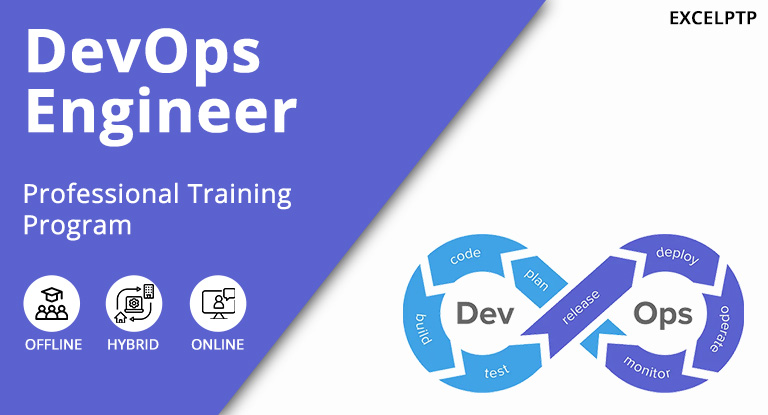
DevOps Lifecycle.
Continuous Development.
Continuous Integration.
Continuous Testing, Deployment and Monitoring.
The DevOps Engineer Training Course is designed to equip participants with essential skills and knowledge in modern DevOps practices. This comprehensive curriculum covers key areas such as version control with Git, continuous integration and delivery with Jenkins, configuration management using Ansible, containerization with Docker, orchestration with Kubernetes, infrastructure provisioning with Terraform, monitoring and logging, security in DevOps, and practical hands-on projects.
Introduction to Git.
What is version control?.
Key concepts in Git.
Basic Git Commands.
git init, git clone.
git add, git commit.
git pull, git push etc.
Branching and Merging.
Creating and managing branches.
Merging strategies.
Handling conflicts.
Introduction to Jenkins.
What is Jenkins?.
Jenkins architecture and key concepts
Setting up Jenkins.
Installation and configuration.
Setting up Jenkins jobs.
Jenkins Pipelines.
Creating and managing pipelines.
Declarative vs. scripted pipelines.
Introduction to Ansible.
What is configuration management.
Key concepts in Ansible.
Setting up Ansible.
Installation and configuration.
Inventory and playbooks.
Ansible Modules and Roles.
Commonly used modules.
Creating and using roles.
Introduction to Docker.
What is Docker? and Docker architecture and key concepts
Docker Commands.
Basic commands (docker run, docker ps, docker stop).
Image management (docker pull, docker build).
Docker Networking and Storage.
Managing volumes and persistent storage.
What is Kubernetes?
Kubernetes architecture.
Setting up a Kubernetes Cluster.
Installation and configuration.
Using Minikube and Kubernetes Dashboard.
Managing Kubernetes Resources.
Pods, Deployments, and Services.
ConfigMaps and Secrets.
Advanced Kubernetes Concepts.
Persistent Volumes and Persistent Volume Claims.
Ingress Controllers.
Helm Charts.
Introduction to Terraform.
What is Infrastructure as Code? and Key concepts in Terraform.
Terraform Basics.
Installation and configuration.
Writing Terraform configurations.
Managing Infrastructure with Terraform.
Creating and modifying infrastructure.
Managing state and handling drift.
Importance of monitoring and logging.
Key concepts.
Monitoring Tools.
Prometheus and Grafana.
Setting up and configuring monitoring.
Logging Tools- ELK Stack (Elasticsearch, Logstash, Kibana) and Centralized logging and log management.
Introduction to DevSecOps.
Integrating security into DevOps practices.
Secure coding practices.
Vulnerability scanning and management.
Access control and identity management.
Participants will gain hands-on experience through interactive sessions and projects, enabling them to effectively automate software development, deployment, and infrastructure management processes. This course is ideal for IT professionals, developers, and anyone looking to enhance their proficiency in DevOps methodologies and tools to advance their careers in modern software development environments.
Fresh Graduates: Individuals who have recently completed their education and are looking to enter the field of software development or DevOps.
Junior Developers: Developers with limited experience who want to enhance their skills with containerization technologies.
IT Professionals: Those who work in IT support, system administration, or other roles and want to expand their knowledge to include Docker and containerization.
Career Switchers: Professionals from different fields who are transitioning into tech and want to understand the basics of Docker.
Students: Current students in computer science or related fields who wish to gain practical skills in Docker.





LEARN WHAT SUITS YOU BEST
No limits on learning, duration, interviews, or salary growth. Learn as much as you want and get fully prepared for your first job—with complete freedom to grow at your pace.
4 MONTHS TRAINING(CODE :- PTP 4)
-
4-month intensive training program
-
Monday to Friday (4 hours per day)
-
Only practical, hands-on learning
-
Individual 1-to-1 personalized training
-
Training by professional industry developers
-
Stipend offered based on performance
-
Guaranteed job through our on-job training model
-
Ideal for Diploma/Graduates (any stream), career switchers, and IT enthusiasts
12 MONTHS TRAINING(CODE :- PTP 12)
-
Up to 12 Months or Until Placement
-
Monday to Friday (full day Adjusted Based on Work Opportunity)
-
Live Work-Based Training with a Collaborative Team
-
1 to 1, Real-World Project Experience & Industry-Standard Skills
-
Unlimited Placement Support with Dual Job Opportunities
-
Industry Diploma Recognized as Experience + Training Certificate
-
Join as a Fresher, Graduate as an Experienced Professional Developer
-
10+2, Diploma/Graduate (Any Stream), Career Changers & IT Enthusiasts.
GLOBAL ACCREDITATIONS





Contact Us
Trending Courses


Popular Posts
-
 September 19, 2019 Top 10 IT Training Courses For fresher india
 -

-
 September 19, 2019 10 Software Course You can learn in 6 Weeks or less