

10 Software Course You can learn in 6 Weeks or less
Posted By:ExcelPTP
January 12,2019
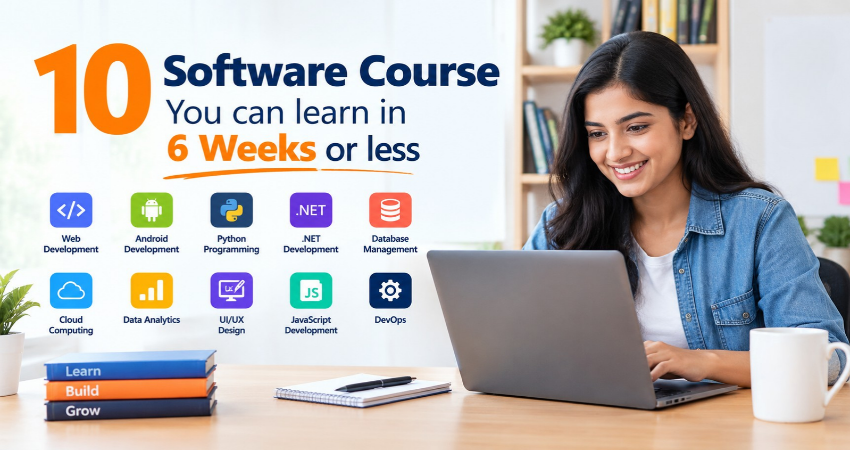
Top 10 Short Term IT Courses for Beginners
Short term IT courses can help students and beginners develop practical technology skills for their career goals. From programming and web development to digital marketing and software testing, these courses introduce learners to different IT career paths. At ExcelPTP, you can explore professional training programmes and choose a course that matches your interests.
Moreover, practical exercises and project-based learning can help you understand how these skills are applied in real-world situations. Before choosing a programme, consider your current knowledge, career interests, and learning objectives.
1. Short Term C and C++ Programming Course
C and C++ are useful starting points for learners who want to understand programming fundamentals. These languages introduce important concepts such as variables, loops, functions, arrays, and object-oriented programming.
For example, beginners can practise writing small programs before moving on to more complex applications. This practical approach helps them apply programming concepts. As a result, they can build a stronger foundation for further software development training.
Explore the C and C++ training programme to learn more.
2. Short Term HTML and CSS Course
HTML and CSS are essential technologies for building website layouts and interfaces. While HTML defines the structure of a web page, CSS controls its appearance and layout.
During training, learners can practise creating web pages, formatting content, and designing responsive layouts. In addition, these skills provide a foundation for learning JavaScript and other front-end technologies.
Explore the front-end training programme to learn more about website development skills.
3. Graphic Design Course for Beginners
Graphic design combines creativity with visual communication. Designers create graphics for websites, advertisements, social media, brochures, and other digital or printed materials.
Furthermore, learning design principles helps learners understand colour combinations, typography, layouts, and image composition. Through practical exercises, they can also develop a portfolio of their work.
Explore the graphic design training programme for more information.
Photoshop Training Course
Adobe Photoshop is widely used for image editing, photo manipulation, and digital design. Learners can practise image correction, layers, selections, and other essential tools through hands-on exercises.
Consequently, Photoshop skills can support careers in graphic design, digital marketing, and creative content production.
Learn more about the Photoshop designing training course.
4. Short Term Digital Marketing Course
Digital marketing helps businesses connect with audiences through online channels. These channels include search engines, social media platforms, email, and websites.
During a digital marketing course, learners can explore campaign planning, content marketing, online advertising, and performance measurement. Moreover, practical activities help them understand how businesses attract and engage potential customers.
Explore the digital marketing training programme to discover the available learning options.
5. Short Term SEO Training Course
Search engine optimisation, commonly known as SEO, helps improve a website’s visibility in search engine results. It involves understanding keywords, website content, technical factors, and user experience.
For instance, learners can practise keyword research and on-page optimisation. They can also study website structure and content improvements. As a result, SEO training can provide useful skills for digital marketing and website management roles.
Find out more about the SEO training programme.
For additional guidance, learners can read the official Google Search Central documentation about search engine optimisation.
6. Short Term Software Testing Course
Software testing helps identify defects and check whether an application works as expected. It is an important part of software development because testing can improve product quality and reliability.
Manual testing focuses on checking software features and recording issues. In contrast, automation testing uses tools and scripts to execute selected test cases. Therefore, understanding both approaches can help learners explore different software testing roles.
Explore the software testing training options to learn more.
7. Business Development Executive Training
Business development professionals help organisations identify potential customers, build relationships, and support business growth. The role often involves communication, research, follow-ups, and lead management.
Moreover, strong communication and problem-solving skills can help learners prepare for customer-facing roles. Practical training may also introduce them to professional communication and business processes.
Learn more about the business development training options.
8. JavaScript Training Course
JavaScript adds interactive behaviour to websites. Developers use it to respond to user actions, validate forms, update page content, and build dynamic web experiences.
After learning the fundamentals, learners can practise functions, events, arrays, and other core concepts. They can then apply these skills to small projects. This approach helps connect programming theory with practical development.
Explore the JavaScript training programme for further details.
9. UI/UX Design Course
UI and UX design focus on different but related aspects of digital products. User interface (UI) design deals with visual elements, whereas user experience (UX) design focuses on how people interact with a product.
For example, UI designers work with layouts, typography, colours, and interface components. Meanwhile, UX designers research user needs, organise information, and improve user journeys. Together, these disciplines help create more usable digital experiences.
Explore the UI/UX training programme to learn more.
10. Front-End Development Course
Front-end development involves building the parts of a website that users see and interact with. It commonly includes HTML, CSS, JavaScript, responsive design, and browser-based development techniques.
As learners progress, they can practise building web pages and improving layouts for different screen sizes. In addition, project-based learning helps them understand how individual technologies work together.
Visit the front-end development training page for more information.
How to Choose the Best Short Term IT Courses
Selecting a course becomes easier when you understand your goals. When comparing short term IT courses, consider the following factors:
- Career interests: Identify whether you prefer programming, design, marketing, or software testing.
- Current skill level: Choose a programme that matches your existing knowledge and experience.
- Practical learning: Look for opportunities to practise concepts through exercises and projects.
- Course content: Review the topics covered and check whether they support your learning objectives.
- Career support: Ask about interview preparation, resume guidance, internships, and placement assistance where available.
In addition, review the course duration, learning format, and available practice opportunities. These details can help you decide which programme suits your needs.
Start Learning with Short Term IT Courses at ExcelPTP
Short term IT courses can introduce learners to practical technology skills and different career paths. However, progress also depends on regular practice, project experience, and a willingness to keep learning.
ExcelPTP offers professional training options for learners interested in different IT fields. Review the available programmes and select the one that best matches your goals.
Explore ExcelPTP professional training programmes or contact ExcelPTP to discuss your learning requirements.
NEW COURSES


Contact Us
Trending Courses
Popular Posts
-
 January 12, 2019 Top 10 IT Training Courses For fresher india
-

-
 January 12, 2019 10 Software Course You can learn in 6 Weeks or less