
Model Context Protocol (MCP) Explained for Students: What It Is and Why It Matters
Posted By:ExcelPTP
November 26,2026
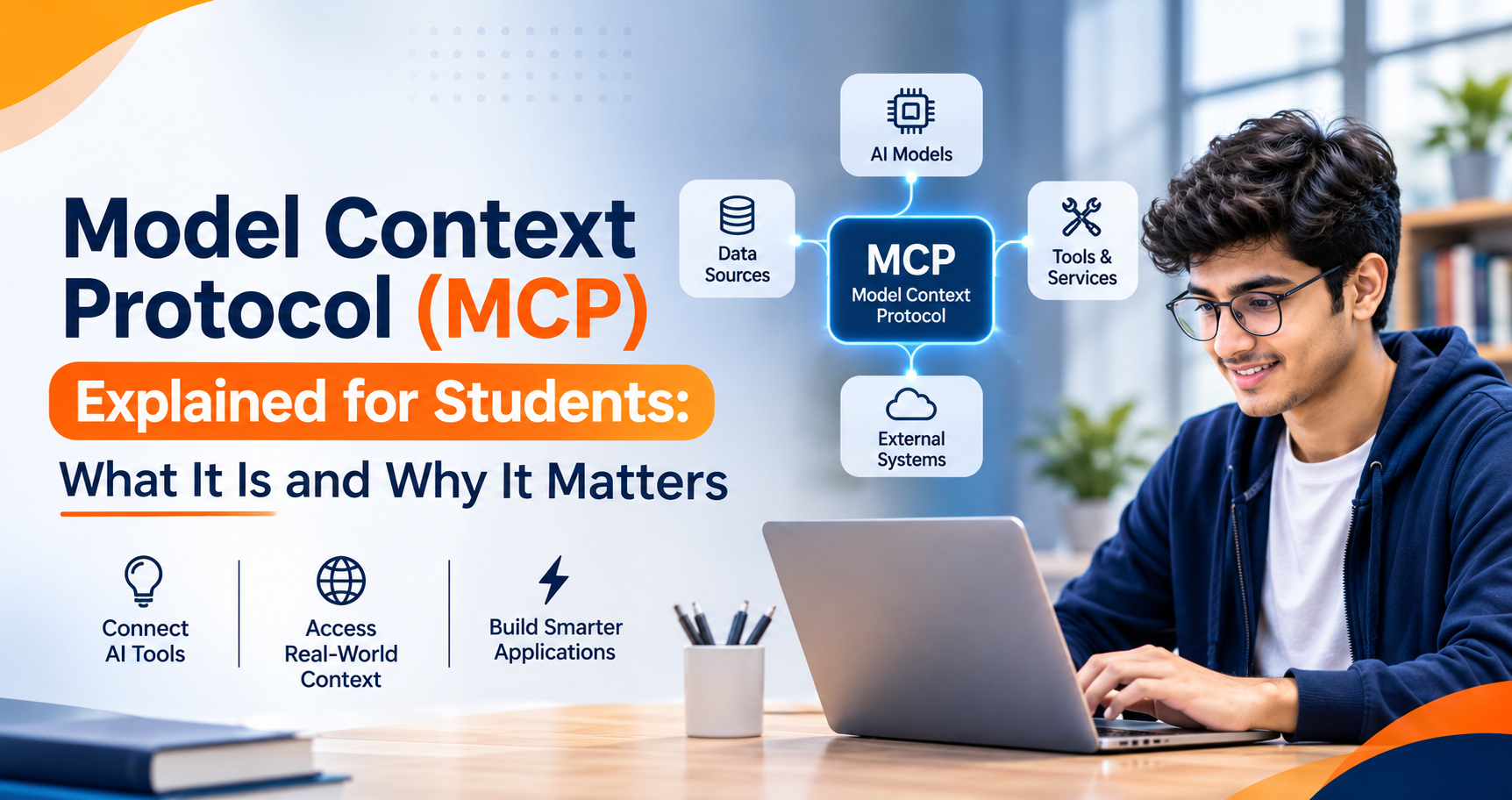
The Model Context Protocol, usually shortened to MCP, is one of the most discussed ideas in AI development today. It explains how an AI application can use your files, databases and online services without a custom connection for every pairing.
The idea is simple, but the terminology can confuse beginners. This guide explains MCP in plain English. You will learn what it is, how it works, how it differs from an API, and what security risks to know. It is written for students, freshers and career switchers in India.
Quick Answer: What Is the Model Context Protocol?
The Model Context Protocol is an open-source standard for connecting AI applications to external systems, such as files, databases, search tools and calendars. A developer builds an MCP server once, and any compatible AI application can use it. The official documentation compares MCP to a USB-C port for AI.
What Is the Model Context Protocol (MCP)?
An AI model on its own knows only what it learned in training and what you paste into the chat. It cannot check your calendar or query a database unless the application around it provides that access. MCP defines a common way to provide it.
According to the official introduction, AI applications can use MCP to reach data sources such as local files and databases, tools such as search engines and calculators, and reusable prompt workflows. That helps them access information and perform tasks.
Who created MCP, and who runs it now?
Anthropic introduced MCP in late 2024. On 9 December 2025, Anthropic donated it to the Agentic AI Foundation, a fund under the Linux Foundation. Block and OpenAI co-founded that foundation, with support from Google, Microsoft, AWS, Cloudflare and Bloomberg. The project’s maintainers still make the technical decisions.
The Linux Foundation announcement reported more than 10,000 published MCP servers at that time. It also listed Claude, Cursor, Microsoft Copilot, Gemini, VS Code and ChatGPT among the platforms that have adopted the protocol. So MCP is not tied to a single AI product.
Why Was MCP Created?
Before MCP, every AI application needed its own custom code for every service it wanted to use. If you had three AI apps and four services, you might build twelve separate connections. This is often called the N×M integration problem.
With a shared protocol, each service builds one MCP server, and each AI application builds one MCP client. Then any application can talk to any server. This is our simplified explanation of the idea behind the USB-C comparison.
How Does MCP Work? Hosts, Clients and Servers
The current specification describes a client-host-server architecture. The list below summarises the three roles.
- Host: the AI application. It creates clients, controls permissions and enforces user consent. Example: a chat app or a code editor with AI features.
- Client: created by the host. Each client talks to exactly one server. Example: the connector built into the host.
- Server: exposes capabilities such as tools, resources and prompts. It can be a local process or a remote service. Example: a server for your notes folder or a database.
This structure comes from the MCP architecture specification. It also states a useful design rule: a server should not be able to read the whole conversation or see into other servers. The host keeps the full conversation and controls what each server receives.
Tools, resources and prompts: the three primitives
Servers share their capabilities through three building blocks, called primitives.
- Tool: a function the AI model can ask to run. Examples: add two numbers, search tickets or create a calendar event.
- Resource: read-only data that gives the model context. Examples: a document, a file or a database record.
- Prompt: a reusable template for a common task. Example: a “summarise this report” template.
What changed in the 2026 specification?
MCP versions are named by date. The current revision is 2026-07-28, and its architecture page says MCP is now a stateless protocol. Each request carries its own protocol version and capabilities. Older tutorials may describe a different startup flow, so always check the date of what you read.
MCP vs API vs Function Calling
Students often ask whether MCP replaces APIs. It does not. The comparison below is our own simplified view.
- Regular API: an interface that one service offers. It is built for any software, and each app writes its own integration.
- Function calling: a way for a model to request that your code runs a function. It serves one application’s model calls, and the functions are defined inside each app.
- MCP: an open protocol that connects AI applications to many servers. It is built for AI applications and agents, and one server works with any compatible client.
In practice, an MCP server often wraps an existing API. The model asks for a tool through the AI application. The client sends the request to the server, and the server calls the real service.
Real-World Examples of MCP
The official documentation lists several examples. These are illustrations, not case studies from any specific company.
- An agent can connect to a calendar and a notes application to act as a personal assistant.
- A coding assistant can generate a web app from a Figma design.
- An enterprise chatbot can connect to several databases so staff can analyse data by chatting.
- An AI model can create 3D designs in Blender and send them to a 3D printer.
For students, the lesson is practical. MCP is a connection layer, so it matters most when you build projects that need real data or real actions.
Build a Tiny MCP Server in Python
This example creates a server with one tool and one resource. It was written for version 2 of the official mcp Python package, which needs Python 3.10 or newer. Install it with pip install mcp and check your version with pip show mcp.
from mcp.server.mcpserver import MCPServer

mcp = MCPServer("Study Helper")


@mcp.tool()
def add_numbers(a: int, b: int) -> int:
    """Add two whole numbers and return the total."""
    return a + b


@mcp.resource("notes://welcome")
def welcome_note() -> str:
    """A short read-only note the AI application can load as context."""
    return "Welcome to the Study Helper MCP server."


if __name__ == "__main__":
    mcp.run(transport="stdio")
The docstrings matter. They tell the AI application what each tool and resource does. Run the file, then add it as a server in an MCP-compatible application. Each application has its own settings screen, so follow its documentation.
Version warning: many older tutorials import a class called FastMCP. In version 2 of the package, that class is now MCPServer. If an example fails with an import error, check the SDK version first.
Is MCP Secure? Risks Students Should Know
MCP gives AI applications the ability to take actions, so security matters. The OWASP MCP Security Cheat Sheet lists several risks:
- Tool poisoning: malicious instructions hidden in a tool’s description or output that manipulate the model.
- Rug pull attacks: a server changes its tools after you approved it.
- Tool shadowing: a malicious server influences how the model uses tools from trusted servers.
- Confused deputy: a server acts with its own broad privileges instead of the user’s permissions.
The same cheat sheet recommends least privilege, showing full tool parameters to users and never auto-approving tool calls. The official MCP security best practices also forbid “token passthrough”, where a server forwards tokens it did not issue.
As a beginner, follow three habits. Install only servers you trust. Give each server the minimum access it needs. Review what a tool will do before you approve it. If you want related fundamentals, read our cybersecurity careers guide.
Do You Need MCP to Build AI Agents?
No. You can build a first AI agent with direct tool calling and no MCP at all. Many beginners should start there. MCP becomes useful when you want to reuse tools across applications or connect to existing servers.
Treat MCP as a supporting skill. We did not find reliable, MCP-specific job-demand data for India, so we make no hiring claims. For context, the Stack Overflow 2026 Developer Survey found that 26.2% of respondents use AI agents or automated agent workflows. As agent work grows, understanding how tools connect to models is a sensible skill. Our guide to AI careers for freshers covers the wider picture.
Common Mistakes and Misconceptions
- “MCP replaces APIs.” It does not. Servers usually sit on top of existing APIs.
- “MCP makes agents safe.” It provides structure, but safety depends on permissions, consent and trusted servers.
- “MCP only works with one AI product.” It is an open standard supported by many applications.
- Copying outdated code. The protocol and its SDKs have changed, so check dates and versions.
- Installing unknown servers. Treat a server like any software that can access your data.
Where to Learn More
- The official MCP documentation and the Python SDK documentation.
- Microsoft’s open-source, self-paced MCP for Beginners curriculum, announced on its Tech Community site.
- Your own small project: expose one useful function from a college or personal project as an MCP tool.
Key Takeaways
- MCP is an open standard that connects AI applications to tools, data and prompts.
- It uses a host, client and server model, and servers expose tools, resources and prompts.
- MCP does not replace APIs. Servers often wrap them.
- The protocol is governed under the Linux Foundation and supported by many AI platforms.
- Security is your responsibility: trust servers carefully and limit permissions.
- Check spec and SDK dates. The current spec revision is 2026-07-28.
Important Definitions
- MCP host: The AI application that runs the model, creates clients and enforces user consent.
- MCP server: A program, local or remote, that exposes tools, resources and prompts to AI applications.
- Tool: A function the model can ask an MCP server to run.
- Resource: Read-only data a server provides as context.
- Tool poisoning: An attack that hides malicious instructions in a tool’s description or output.
Build Practical AI Skills with ExcelPTP
MCP builds on skills such as Python, APIs, tool calling and security. ExcelPTP’s Generative AI training course lists modules on Python APIs, tool and function calling, AI agents, workflow automation and AI application security. The page does not list MCP by name, so ask a counsellor whether it is covered. Course content, duration and fees can change.
You can also explore the AI tools for developers course. Not sure which direction suits you? Request free career counselling, or read how to start an IT career without a computer science degree.
Conclusion
The Model Context Protocol is best understood as a shared connector between AI applications and the systems they need to use. You do not need it on day one. However, understanding hosts, servers, tools and security will help you read modern AI projects with confidence and build safer ones.
Frequently Asked Questions (FAQs)
It is a standard way for AI applications to connect to files, databases, tools and services. A developer builds a connection once, and any compatible AI application can use it.
Anthropic introduced it, and donated it to the Agentic AI Foundation under the Linux Foundation on 9 December 2025. The project’s maintainers continue to make technical decisions.
No. The Linux Foundation lists Claude, Cursor, Microsoft Copilot, Gemini, VS Code and ChatGPT among the platforms that have adopted it. It is an open standard.
An API is an interface that one service provides. MCP is a protocol that lets AI applications discover and use tools and data from many servers in a consistent way. MCP servers often call APIs behind the scenes.
Function calling is how a model asks for a function to be run. MCP is the wider protocol that connects those requests to external systems through standard servers and clients.
Tools are functions the model can request. Resources are read-only data used as context. Prompts are reusable templates for common tasks.
No. You can build a simple agent with direct tool calling. MCP helps when you want reusable tools or connections to existing servers.
The official Python SDK is widely used, and other official SDKs exist. Check the MCP documentation for the current list. This guide uses Python because it is beginner-friendly.
It is not automatically safe. Risks include tool poisoning and over-broad permissions. Use trusted servers, limit access and require user approval for sensitive actions.
It is a useful supporting skill alongside Python, APIs and AI fundamentals. We did not find reliable MCP-specific hiring data, so build core skills first and add MCP through small projects.
NEW COURSES


Contact Us
Trending Courses
Popular Posts
-
 November 26, 2026 Top 10 IT Training Courses For fresher india
-

-
 November 26, 2026 10 Software Course You can learn in 6 Weeks or less