
MERN Stack
- Home
- >
- Professional Training
- >
- MERN Stack






| Course Level: | Beginner to Advanced |
| Course Duration: | 4 Months | 8 Months |
| Training Days: | Monday to Friday |
| Training Time: | 4 Hours/Day | Regular Office Hours |
| Course Mode: | In-class (Offline) at our premises |
| Course Type: | Job-Oriented Training |
| Course Start: | Upon Registration / Admission |
| Class Size: | 1-to-1 | No Groups | No Batches |
COURSE BENEFITS
-
Your Final Training Destination: We focus on real knowledge and practical skills—your training ends only when you secure a job.
-
Discover Your Strengths: We help you choose (or suggest) the right technology based on your abilities and career goals.
-
Recognize Your Skills: The entire program follows industry practices, and on successful placement, you receive an experience letter to validate your expertise.
-
Be a High-Paid Fresher: Our unique training and placement model helps you secure the best possible starting salary. If you receive a better offer than ours, you are free to join them.
-
No Limits on Learning: There is no fixed syllabus. Learn as much as you want—beyond standard topics—to build strong logical and technical skills.
Understanding Full Stack Development
Full Stack Development involves building both the frontend and backend of modern web applications. In other words, developers work with user interfaces, server-side logic, databases and application deployment. Furthermore, understanding how these components communicate helps developers create complete web solutions.
MERN Stack Technologies
- Introduction to MongoDB and NoSQL databases.
- Understanding Express.js for backend application development.
- Learning React.js for interactive user interfaces.
- Exploring Node.js for server-side JavaScript execution.
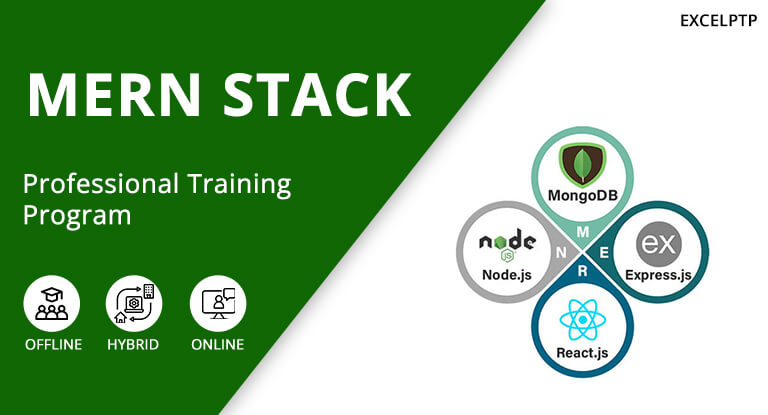
- Understanding the complete MERN Stack architecture.
- Setting up the development environment and project workflow.
Additionally, learners explore how these technologies work together. As a result, they gain a clear understanding of the development process before building practical applications.
HTML5 and Web Page Structure
- Introduction to HTML5 and semantic elements.
- Working with headings, paragraphs, links, lists and forms.
- Understanding tables, multimedia and HTML attributes.
- Creating accessible and well-structured web pages.
CSS3 and Responsive Web Design
- CSS selectors, properties, values and box model.
- Flexbox and CSS Grid layouts.
- Responsive design using media queries.
- Transitions, animations and modern styling techniques.
- Introduction to browser developer tools.
Moreover, responsive design ensures that applications work across desktops, tablets and mobile devices. For example, CSS Grid and Flexbox help organise content efficiently. Consequently, developers can create consistent layouts for different screen sizes.
JavaScript Fundamentals
- Variables, data types, operators and expressions.
- Conditional statements, loops and functions.
- Arrays, objects and commonly used array methods.
- Scope, hoisting, closures and execution context.
- DOM manipulation and browser events.
Modern JavaScript and TypeScript
- ES6+ features including let, const, arrow functions and template literals.
- Destructuring, spread and rest operators.
- Promises, async/await and error handling.
- Modules, imports and exports.
- TypeScript types, interfaces and basic generics.
Initially, learners develop a strong understanding of JavaScript fundamentals. Next, they practise asynchronous programming and modern ES6+ features. In addition, TypeScript introduces static typing, which helps identify common errors during development. Therefore, learners become better prepared for React and Node.js projects.
Node.js Fundamentals
- Introduction to Node.js and its runtime environment.
- Understanding the event loop and non-blocking I/O.
- Working with modules and the npm package manager.
- File system operations and environment variables.
- Creating and managing Node.js applications.
Backend Development Concepts
- Understanding asynchronous programming.
- Working with callbacks, promises and async/await.
- Handling errors and application exceptions.
- Using npm scripts and managing dependencies.
- Introduction to debugging and logging.
Furthermore, Node.js allows developers to use JavaScript outside the browser. Since it supports asynchronous operations, it is suitable for many API-driven applications. For instance, developers can process multiple requests without blocking the entire application. As a result, learners understand the fundamentals of backend development.
Express.js Framework
- Introduction to Express.js and application setup.
- Creating routes and handling HTTP requests.
- Understanding request parameters and query strings.
- Working with middleware and route handlers.
- Managing errors and HTTP status codes.
REST API Development
- Understanding REST architecture and API principles.
- Building GET, POST, PUT, PATCH and DELETE endpoints.
- Request validation and structured API responses.
- Testing APIs using Postman.
- Organising controllers, routes and services.
In addition, Express.js simplifies backend routing and request handling. Developers can organise API endpoints into reusable modules. However, proper validation and error handling are equally important. Consequently, learners practise building maintainable REST APIs that can communicate with frontend applications.
MongoDB Fundamentals
- Introduction to NoSQL databases and MongoDB.
- Understanding databases, collections and documents.
- Installing and configuring MongoDB.
- Working with MongoDB Compass and MongoDB Shell.
- Performing CRUD operations.
Database Design and Querying
- Understanding embedded and referenced documents.
- Filtering, sorting and pagination.
- Aggregation pipeline fundamentals.
- Indexes and query performance basics.
- Data validation and schema design considerations.
Initially, learners explore how MongoDB stores information in flexible document formats. Furthermore, they practise designing collections according to application requirements. For example, indexes can improve the performance of frequently executed queries. Therefore, developers learn how to manage application data more effectively.
Connecting MongoDB with Node.js
- Connecting MongoDB to Node.js applications.
- Managing database connections and environment variables.
- Performing database operations from backend services.
- Handling database errors and connection issues.
Mongoose ODM
- Introduction to Mongoose and schema definitions.
- Creating models and performing CRUD operations.
- Schema validation and default values.
- Using populate for related document references.
- Understanding middleware and model methods.
Moreover, Mongoose provides a structured approach to working with MongoDB. Through schemas and models, developers can define how application data should be organised. In practice, this makes database operations easier to maintain. Additionally, learners build data-driven backend features using real application scenarios.
React.js Fundamentals
- Introduction to React.js and component-based development.
- Setting up React projects using Vite.
- Understanding JSX and functional components.
- Working with props and state.
- Handling events and conditional rendering.
React Hooks and Component Design
- Using useState and useEffect.
- Understanding useRef, useMemo and useCallback.
- Working with forms and controlled components.
- Rendering lists and managing component keys.
- Creating reusable UI components.
React helps developers create interactive user interfaces through reusable components. Initially, learners understand JSX, props and state management. Next, they practise React Hooks to manage component behaviour. Furthermore, Vite provides a modern development environment with a fast feedback cycle. As a result, learners can build responsive frontend applications more efficiently.
Advanced React Concepts
- Understanding React Context API.
- Managing shared application state.
- Introduction to Redux Toolkit fundamentals.
- Working with React Router and nested routes.
- Code splitting and lazy loading.
API Integration and Performance
- Connecting React applications with REST APIs.
- Using Fetch API and Axios.
- Handling loading states and API errors.
- Managing forms and client-side validation.
- Understanding performance optimisation techniques.
In addition to component development, real-world applications require effective state management. For example, Context API or Redux Toolkit can help share data across components. Meanwhile, React Router supports navigation between application pages. Consequently, learners develop more organised and maintainable frontend applications.
Authentication and Authorisation
- Understanding authentication and authorisation concepts.
- Implementing user registration and login workflows.
- Working with password hashing using bcrypt.
- Understanding JSON Web Tokens (JWT).
- Managing protected routes and user roles.
Application Security Practices
- Input validation and sanitisation.
- Understanding CORS and secure HTTP headers.
- Managing environment variables and sensitive information.
- Introduction to rate limiting and secure API practices.
- Understanding common web application security risks.
Security is an essential part of every full stack application. Therefore, learners implement authentication and role-based access controls. Additionally, they explore password hashing, token handling and input validation. However, authentication alone is not enough to protect an application. As a result, the module also introduces practical security measures for safer API development.
Full Stack Project Development
- Planning and structuring a complete MERN application.
- Developing frontend pages using React.js.
- Building backend services using Node.js and Express.js.
- Connecting MongoDB with application features.
- Implementing authentication and CRUD functionality.
Testing, Version Control and Deployment
- Introduction to Git and GitHub workflows.
- Understanding unit and API testing fundamentals.
- Debugging and resolving application issues.
- Introduction to Docker and containerisation.
- Understanding CI/CD fundamentals.
- Deploying frontend and backend applications.
- Managing production environment variables.
Finally, learners bring their knowledge together through a full stack project. During development, they connect frontend components, backend APIs and database operations. Furthermore, testing helps identify errors before deployment. After that, learners explore version control and deployment workflows. Consequently, they gain practical experience with the complete application development lifecycle.
Suitable for Aspiring Developers
- Students pursuing BCA, MCA, B.Tech, B.Sc IT or related degrees.
- Graduates who want to start a career in web development.
- Freshers interested in frontend and backend development.
- Working professionals looking to upgrade their technical skills.
- Developers who want to learn the MERN Stack ecosystem.
Prerequisites
Basic computer knowledge and an interest in programming are helpful. However, prior professional development experience is not mandatory for beginners who are willing to practise consistently. Furthermore, familiarity with HTML, CSS or JavaScript can make the learning process easier. Therefore, learners can build their skills progressively through practical exercises and project work.





LEARN WHAT SUITS YOU BEST
No limits on learning, duration, interviews, or salary growth. Learn as much as you want and get fully prepared for your first job—with complete freedom to grow at your pace.
4 MONTHS TRAINING(CODE :- PTP 4)
-
4-month intensive training program
-
Monday to Friday (4 hours per day)
-
Only practical, hands-on learning
-
Individual 1-to-1 personalized training
-
Training by professional industry developers
-
Stipend offered based on performance
-
Guaranteed job through our on-job training model
-
Ideal for Diploma/Graduates (any stream), career switchers, and IT enthusiasts
12 MONTHS TRAINING(CODE :- PTP 12)
-
Up to 12 Months or Until Placement
-
Monday to Friday (full day Adjusted Based on Work Opportunity)
-
Live Work-Based Training with a Collaborative Team
-
1 to 1, Real-World Project Experience & Industry-Standard Skills
-
Unlimited Placement Support with Dual Job Opportunities
-
Industry Diploma Recognized as Experience + Training Certificate
-
Join as a Fresher, Graduate as an Experienced Professional Developer
-
10+2, Diploma/Graduate (Any Stream), Career Changers & IT Enthusiasts.
GLOBAL ACCREDITATIONS





Contact Us
Trending Courses


Popular Posts
-
 September 19, 2019 Top 10 IT Training Courses For fresher india
-

-
 September 19, 2019 10 Software Course You can learn in 6 Weeks or less